

Running a successful online store requires more than just listing products and processing payments. Your ecommerce platform needs constant attention, regular check-ups, and strategic improvements to stay competitive in 2026. An ecommerce site audit serves as your diagnostic tool, revealing hidden issues that could be costing you sales, rankings, and customer trust. Whether you're experiencing declining traffic, poor conversion rates, or simply want to optimize your digital storefront, a comprehensive audit helps you identify what's working, what's broken, and where your biggest opportunities lie.
Why Your Online Store Needs Regular Audits
Think of an ecommerce site audit like a health check-up for your digital business. Just as you wouldn't wait until you're seriously ill to see a doctor, you shouldn't wait for major problems before examining your website's performance.
Online stores face unique challenges that brick-and-mortar businesses never encounter. Algorithm updates from Google happen multiple times per year, consumer behavior shifts constantly, and new competitors enter the market daily. Your site might have performed beautifully six months ago, but technical debt, outdated plugins, and changing best practices can gradually erode your competitive edge.
The Real Cost of Skipping Audits
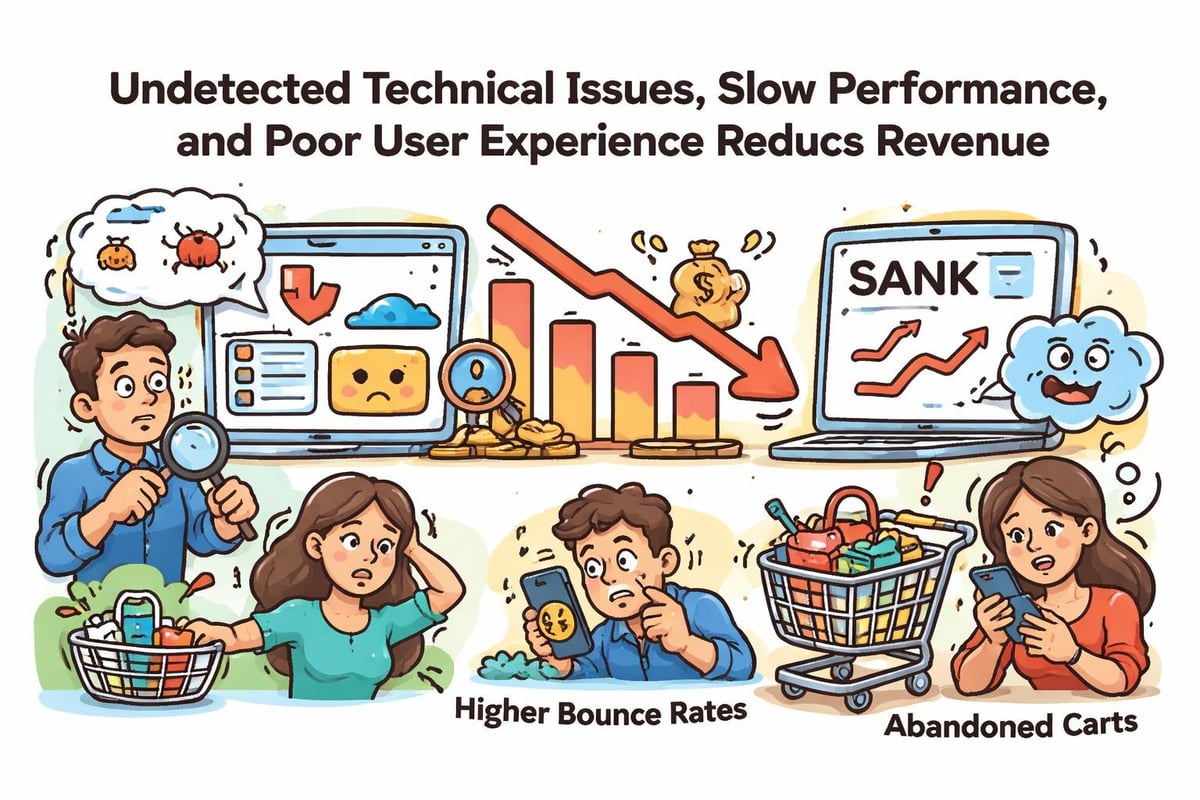
We've seen businesses lose thousands of dollars in revenue because of issues they didn't know existed. A slow-loading checkout page here, a broken mobile navigation there, or outdated product schema markup can silently drain your bottom line.
Consider these common scenarios:
- Search visibility drops when Google can't properly crawl your new product categories
- Cart abandonment increases when page load times exceed three seconds
- Mobile conversions suffer when navigation elements overlap or buttons become unclickable
- Trust signals disappear when SSL certificates expire or security warnings appear
Regular audits catch these problems before they compound into serious revenue losses.
Technical SEO Components of Your Audit
Technical foundation determines whether search engines can find, crawl, and index your products effectively. This section of your ecommerce site audit examines the behind-the-scenes elements that make or break your organic visibility.
Crawlability and Indexation
Start by checking your robots.txt file and XML sitemaps. Your robots.txt should allow search engine bots to access important pages while blocking administrative areas, duplicate content, and filtered product pages that create thin content issues.
| Technical Element | What to Check | Why It Matters |
|---|---|---|
| XML Sitemaps | All product categories included, under 50MB | Helps Google discover new products quickly |
| Robots.txt | Not blocking important sections | Prevents accidental de-indexing |
| Canonical Tags | Pointing to preferred versions | Eliminates duplicate content issues |
| 404 Errors | No broken product pages | Preserves link equity and user experience |
Your sitemap architecture matters tremendously for large catalogs. Products should be no more than three clicks from your homepage, and your internal linking structure should distribute authority effectively across categories.
Site Speed and Core Web Vitals
Performance optimization has become non-negotiable in 2026. Google's Core Web Vitals directly influence rankings, and even small improvements in load time can dramatically increase conversions. When conducting ecommerce site speed best practices, focus on the metrics that actually impact business outcomes.
Critical speed factors include:
- Largest Contentful Paint (LCP) under 2.5 seconds
- First Input Delay (FID) below 100 milliseconds
- Cumulative Layout Shift (CLS) less than 0.1
- Total page weight under 3MB for product pages
Image optimization alone can reduce load times by 40-60% for most ecommerce sites. Implement modern formats like WebP, use responsive images with srcset attributes, and lazy load images below the fold.
Structured Data Implementation
Schema markup helps search engines understand your products, prices, availability, and reviews. Rich snippets in search results increase click-through rates by showing star ratings, pricing, and stock status directly in search listings.
Your ecommerce site audit should verify that every product page includes properly formatted Product schema with these essential properties:
- Name and description
- Price and currency
- Availability status
- Image URLs
- Brand information
- Review ratings and count
Test your markup using Google's Rich Results Test tool. Even small syntax errors can prevent your rich snippets from appearing in search results.
User Experience and Conversion Analysis
Technical perfection means nothing if visitors can't easily find products, navigate your catalog, or complete purchases smoothly. This portion of your audit examines how real humans interact with your store.
Navigation and Site Architecture
Your navigation should feel intuitive, not like solving a puzzle. During your ecommerce website maintenance audit, evaluate whether your category structure makes sense to first-time visitors.
Test these specific elements:
- Mega menus should be organized logically with clear visual hierarchy
- Search functionality must return relevant results and handle typos gracefully
- Breadcrumbs help users understand their location within your catalog
- Filter options should be comprehensive but not overwhelming
We recommend having at least five unbiased users attempt common tasks like finding specific products or applying discount codes. Watch where they struggle, hesitate, or give up entirely.
Mobile Experience Evaluation
More than 60% of ecommerce traffic now comes from mobile devices, yet many sites still treat mobile as an afterthought. Your audit must include extensive mobile testing on actual devices, not just desktop browser emulators.
Mobile-specific issues to investigate:
- Touch targets at least 48×48 pixels for easy tapping
- Form fields that trigger appropriate keyboards (numeric for phone numbers)
- Product images that zoom smoothly without page jumping
- Checkout processes that don't require excessive scrolling or zooming
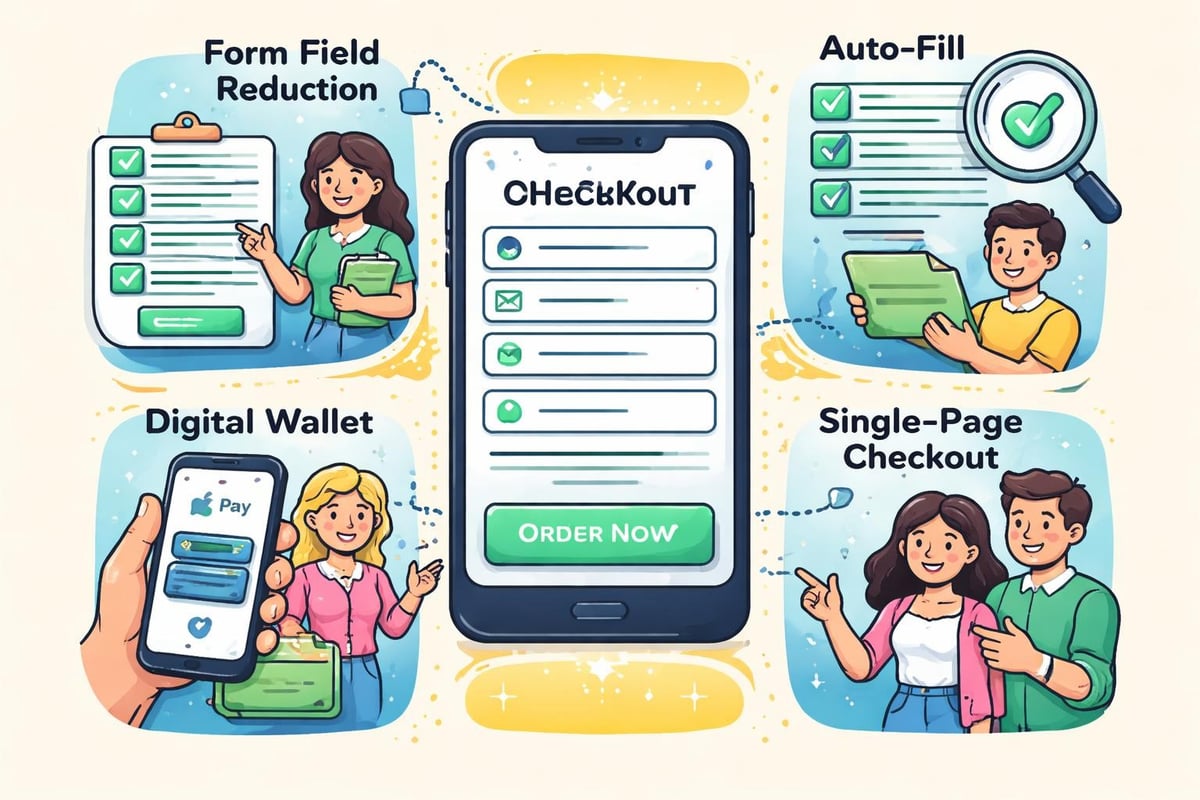
Pay special attention to your mobile checkout flow. Every additional step or form field increases abandonment rates. The best mobile checkouts auto-fill address information, accept digital wallets, and minimize typing requirements.
Checkout Process Optimization
Cart abandonment averages around 70% across all ecommerce sites. Your audit should identify friction points that cause customers to leave before completing purchases.
Walk through your entire checkout process and document every potential obstacle:
- Forced account creation before purchase
- Unexpected shipping costs appearing late in the process
- Limited payment options
- Complicated coupon code application
- Security concerns from missing trust badges
- Poor error messaging when form validation fails
Consider offering guest checkout, displaying total costs upfront, and showing progress indicators throughout the checkout flow. These simple changes can recover significant lost revenue.
Content Quality and Product Page Optimization
Product pages serve as your digital sales floor. They must convince, educate, and convert visitors into customers while simultaneously satisfying search engine requirements.
Product Descriptions and Uniqueness
Manufacturer-provided descriptions appear on hundreds of competing websites. Unique, detailed product descriptions help you stand out in search results and provide genuine value to shoppers.
Your ecommerce site audit should flag any pages using duplicate manufacturer content. Prioritize rewriting descriptions for your best-selling products first, then systematically address the rest of your catalog.
Effective product content includes:
- Clear feature lists highlighting key specifications
- Benefit-focused descriptions explaining how the product solves problems
- Use cases and application examples
- Size guides, compatibility information, or care instructions
- Common questions answered proactively
Visual Content Standards
Product photography quality directly correlates with conversion rates. Your audit should assess whether images meet modern consumer expectations for online shopping.
| Image Type | Minimum Standards | Best Practices |
|---|---|---|
| Main Product | 1200×1200 pixels | Multiple angles, zoom capability |
| Lifestyle Images | High resolution | Products in context of use |
| Detail Shots | Close-ups of features | Textures, materials, craftsmanship |
| Videos | 1080p minimum | Unboxing, demonstrations, reviews |
Include alt text for every image that describes the product specifically. Generic phrases like "product image" waste SEO opportunities and fail accessibility standards.
Security and Trust Elements
Online shoppers have become increasingly security-conscious. Your ecommerce site audit must verify that trust signals appear prominently and function correctly.
SSL and HTTPS Implementation
Every page on your site should load via HTTPS. Mixed content warnings (when some elements load via HTTP) create security alerts that immediately destroy consumer confidence.
Check for SSL issues using browser developer tools and third-party scanners. Even a single insecure form element or externally hosted image can trigger warnings.
Privacy and Compliance
GDPR, CCPA, and other privacy regulations require specific disclosures and data handling practices. Your audit should confirm that privacy policies are current, cookie consent mechanisms work properly, and data collection practices comply with applicable laws.
Include links to these essential pages in your footer:
- Privacy policy with specific data usage details
- Terms and conditions covering purchases and returns
- Cookie policy explaining tracking technologies
- Contact information with multiple communication channels
Analytics and Tracking Verification
You can't improve what you don't measure. This section of your audit ensures you're collecting accurate data about visitor behavior, conversions, and revenue attribution.
Goal and Event Tracking Setup
Verify that your analytics platform correctly tracks these critical ecommerce events:
- Product page views
- Add to cart actions
- Checkout process steps
- Transaction completions
- Revenue values
- Product category interactions
Use Google Tag Manager's preview mode or similar debugging tools to confirm that data flows correctly from your site to analytics platforms. Missing or incorrect ecommerce tracking can lead to misguided business decisions.
Conversion Funnel Analysis
Understanding where customers drop off reveals your biggest optimization opportunities. Your ecommerce site audit should include detailed funnel analysis showing conversion rates at each step from landing page to purchase completion.
Calculate these key metrics:
- Overall conversion rate (transactions / sessions)
- Cart abandonment rate
- Checkout abandonment rate
- Revenue per visitor
- Average order value
Compare these metrics across traffic sources, device types, and customer segments. You'll often discover that certain channels or audiences perform dramatically better than others.
Before scaling your content efforts or launching major campaigns, ensuring your foundation is solid makes every subsequent optimization more effective. Working with experienced professionals who understand both technical requirements and business outcomes can accelerate your improvement timeline significantly. The Authority + AI Visibility Blueprint provides exactly this type of strategic foundation, helping businesses identify the specific improvements that will generate leads and revenue growth most quickly.
Competitive Benchmarking Analysis
Your site doesn't exist in isolation. Understanding how competitors structure their stores, optimize their pages, and engage customers provides valuable insights for your own improvements.
Feature Gap Analysis
Visit your top five competitors and document features they offer that you lack. Look beyond obvious elements to discover subtle advantages in their user experience.
Common competitive differentiators include:
- Product comparison tools
- Virtual try-on or visualization features
- Live chat support availability
- Subscription or auto-delivery options
- Detailed size guides and fit calculators
- User-generated content galleries
- Wishlist and gift registry functionality
Not every competitor feature deserves replication, but understanding what successful stores offer helps you identify genuine gaps versus unnecessary bloat.
Content and Keyword Strategy
Analyze which products and categories your competitors rank for organically. Tools like SEMrush, Ahrefs, or similar platforms reveal keyword gaps where competitors capture traffic you're missing. An ecommerce SEO audit checklist can guide this competitive analysis systematically.

Pay attention to their content strategy beyond product pages. Do they maintain blogs, buying guides, or comparison articles? Educational content builds authority, attracts top-of-funnel traffic, and supports link building efforts.
Platform-Specific Considerations
Different ecommerce platforms have unique strengths, limitations, and common issues. Your audit approach should account for platform-specific factors.
Shopify-Specific Audits
Shopify powers millions of online stores, but its app ecosystem can create performance and compatibility issues. When conducting a Shopify website audit, examine your installed apps critically.
Key Shopify audit points:
- Review all installed apps and remove unused ones
- Check for app conflicts causing JavaScript errors
- Verify theme customizations follow Shopify standards
- Test checkout extensibility integrations
- Audit liquid code for inefficiencies
Shopify's built-in analytics provide basic insights, but serious stores need Google Analytics 4 properly configured with enhanced ecommerce tracking.
WooCommerce and WordPress Audits
WooCommerce offers tremendous flexibility but requires more hands-on technical management. Your audit should address WordPress-specific vulnerabilities and optimization opportunities.
Focus on these WooCommerce elements:
- Plugin conflicts between WooCommerce and other WordPress extensions
- Database optimization and cleanup of post revisions
- Caching configuration for dynamic product pages
- Security hardening beyond WordPress defaults
- PHP version compatibility and performance
Working with professional SEO services ensures platform-specific optimizations are implemented correctly, avoiding common pitfalls that can break functionality or create security risks.
B2B eCommerce Audit Differences
B2B ecommerce sites face unique challenges compared to B2C stores. Your audit must address wholesale pricing, account-based access, and complex ordering workflows.
Account Management and Permissions
B2B sites typically require customer accounts before allowing purchases or even viewing pricing. Audit these account-related features carefully:
- Registration process simplicity and approval workflows
- Account hierarchy for multi-location businesses
- Custom pricing display for different customer tiers
- Quote request and approval systems
- Purchase order integration
The B2B ecommerce website audit should verify that your platform handles complex business purchasing requirements without forcing customers into consumer-oriented checkout flows.
ERP and Backend Integration
B2B ecommerce depends on accurate inventory data, pricing synchronization, and order processing automation. Your audit must confirm that integrations between your storefront and backend systems function reliably.
Test these integration points:
- Real-time inventory updates reflecting warehouse availability
- Pricing accuracy across all customer tiers
- Order transmission to fulfillment systems
- Customer account data synchronization
- Return and credit memo processing
Integration failures cost B2B businesses dearly through duplicate data entry, order errors, and customer service escalations.
Creating Your Action Plan
A comprehensive ecommerce site audit generates dozens or hundreds of findings. The real challenge lies in prioritizing improvements and executing systematically.
Prioritization Framework
Not all audit findings deserve immediate attention. Use this framework to decide what to fix first:
Critical (fix immediately):
- Security vulnerabilities or SSL issues
- Broken checkout functionality
- Major mobile usability problems
- Google Search Console critical errors
High priority (fix this month):
- Slow page speed on key landing pages
- Missing product schema markup
- Significant SEO technical issues
- Major conversion funnel leaks
Medium priority (fix this quarter):
- Content quality improvements
- Enhanced product imagery
- Navigation refinements
- Additional feature development
Low priority (ongoing improvements):
- Minor design inconsistencies
- Nice-to-have features
- Incremental optimization testing
- Advanced personalization features
Monitoring and Ongoing Maintenance
Your ecommerce site audit shouldn't be a one-time event. Schedule regular audits quarterly or at minimum twice yearly. Between formal audits, implement continuous monitoring for critical metrics.
Set up automated alerts for:
- Sudden traffic drops indicating technical issues
- Conversion rate changes beyond normal variance
- Page speed degradation
- Search Console error spikes
- Shopping cart abandonment increases
Many issues emerge gradually. Regular monitoring catches problems before they significantly impact revenue. For businesses without in-house technical expertise, partnering with specialized SEO agencies provides ongoing oversight and proactive optimization.
Advanced Audit Techniques
Beyond basic checklists, sophisticated ecommerce site audits employ advanced methodologies to uncover deeper insights.
Log File Analysis
Server log files reveal exactly how search engines crawl your site. Analyzing crawl patterns helps identify crawl budget waste, orphaned pages, and technical barriers preventing complete indexation.
Look for these patterns in your logs:
- Excessive crawling of low-value pages (filters, pagination)
- Important product categories rarely crawled
- Redirect chains consuming crawl budget
- Bot traffic from non-search-engine crawlers
Log file analysis requires technical expertise but provides insights impossible to obtain through other methods.
Heatmapping and Session Recording
Quantitative analytics show what happens, but qualitative tools like heatmaps and session recordings reveal why. Watch how real visitors interact with your product pages, navigation, and checkout.
Common discoveries from session recordings:
- Rage clicking on non-clickable elements
- Confusion about navigation structure
- Form field errors causing abandonment
- Unexpected user journeys through your catalog
These insights inform UX improvements that directly increase conversions.
A/B Testing Integration
Your audit should identify A/B testing opportunities where data-driven optimization can resolve uncertainty. Rather than guessing which product page layout converts better, test variations systematically.
High-impact testing opportunities:
- Product page layout variations
- Call-to-action button colors and text
- Checkout flow sequences
- Navigation structure alternatives
- Product filtering and sorting options
Document testing opportunities in your audit report along with hypotheses about expected improvements.
Common Audit Mistakes to Avoid
Many businesses conduct audits that miss critical issues or generate misleading conclusions. Avoid these common pitfalls.
Surface-Level Analysis
Running your URL through automated tools produces a report, but automated tools miss context-specific issues. They can't evaluate whether your product descriptions appeal to your target audience or whether your navigation makes sense for your specific catalog structure.
Combine automated scanning with human expertise and judgment. The best audits integrate multiple data sources and perspectives.
Ignoring Business Context
Technical perfection doesn't guarantee business success. An ecommerce site audit must consider your specific business model, target audience, and competitive landscape.
A feature that works brilliantly for a fashion retailer might be irrelevant or counterproductive for an industrial equipment supplier. Your audit recommendations should align with business objectives, not just SEO best practices in isolation.
Analysis Paralysis
Generating a 100-page audit report feels productive, but execution determines results. Focus your audit on actionable findings with clear implementation paths and measurable outcomes.
For each recommendation, specify:
- What needs to change
- Why it matters (expected impact)
- Who should implement it
- Resources required
- Timeline for completion
Actionable guidance drives improvement. Vague suggestions gather dust.
A thorough ecommerce site audit reveals the hidden opportunities and silent profit-killers affecting your online store's performance. By systematically evaluating technical SEO, user experience, content quality, and conversion optimization, you create a roadmap for sustainable growth and competitive advantage. Whether you're running a Shopify boutique or managing a complex B2B wholesale operation, regular audits ensure your digital foundation remains strong while your business scales. Shawn the SEO Geek brings over two decades of expertise to help ecommerce businesses identify and fix the issues holding them back from ranking higher, converting better, and growing faster. Let's audit your store and unlock its full potential together.